 Backtrack
How to export a Claude chat to Markdown or PDF
Short answer: claude.ai doesn't have a "save this chat as a file" button; its built-in export (Settings → Privacy → Export data) covers your whole account. For one chat, the free ways are: copy each message into a .md file, or print the page to PDF with your browser. Or get the export and save the chat as .md from the free Claude Export Viewer.
The one-click way is Backtrack: a button inside claude.ai that saves the open chat as .md (free) or PDF (Pro).
Markdown or PDF?
Markdown (.md) is plain text with light formatting: # headings, **bold**, lists, tables and code blocks. Claude already writes in Markdown, so nothing is lost. Pick it if you'll search, edit or keep the chat in an app like Obsidian, Notion or VS Code.
PDF is a fixed document. Pick it to print, attach to an email, or share with someone who just wants to read.
The free ways, step by step
Markdown: copy and paste
- Open the chat on claude.ai.
- Click the copy button under a message, then paste it into a plain-text editor (TextEdit in plain-text mode, Notepad, VS Code).
- Repeat for each message you want. Add your own lines like
## Meand## Claudeso you can tell who said what. - Save the file with a
.mdending, for exampletrip-plan.md.
This is fine for one answer. For a long chat it's a lot of clicking, and files Claude made (artifacts) have to be downloaded one by one from their own windows.
PDF: print the page
- Open the chat and scroll to the top.
- Press Ctrl+P (Cmd+P on a Mac).
- Set the destination to Save as PDF.
- Check the preview before saving. Long chats, wide tables and code can be cut off or spread over many pages, depending on your browser.
Markdown from the data export
- On claude.ai, go to Settings → Privacy → Export data and download the zip from the email (the link expires after 24 hours).
- Drop the zip into the free Claude Export Viewer.
- Pick the chat (search helps) and click Download .md. If you edited a message in that chat, choose a version first.
The file starts with the chat's title, dates and a link back to claude.ai, then every message under a ### You or ### Claude heading. More in how to read your Claude data export.
The faster way: one click with Backtrack
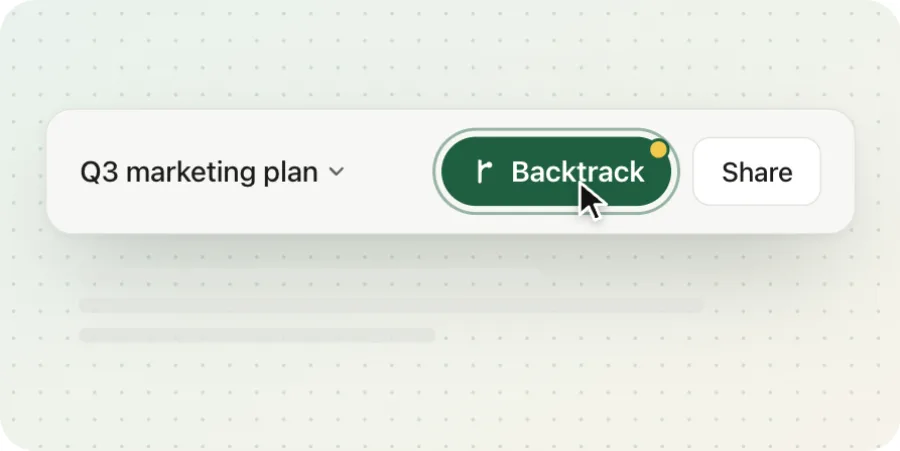
Backtrack adds a green Backtrack button next to Claude's Share button. Click it and the This chat tab shows four ways to save the chat you're looking at.
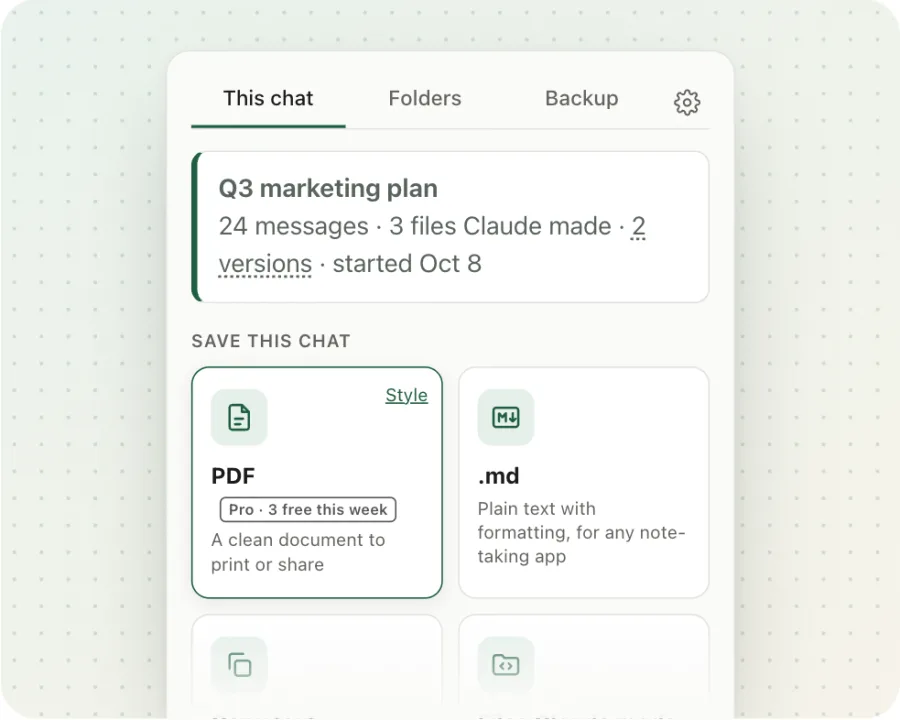
- .md: free, unlimited. The whole chat in one file, with code and tables intact.
- Copy text and Files Claude made (all artifacts in one zip): free.
- PDF: Pro. Free users get 3 PDF saves a week.
- Polished PDF (cover page, your name, or Claude's answers only): Pro, 3 free tries a week.
- Include all versions of an edited chat in one file: Pro, 3 free tries a week.
Pro is $4.99 once, with no subscription and no account. Files are made in your browser and go to your Downloads.
Save any Claude chat as .md in one click. Free, and nothing leaves your browser.
Add to Chrome, freeFAQ
Is saving a Claude chat as .md free in Backtrack?
Yes. Saving as .md, copying the chat's text and downloading the files Claude made are free with no limit. PDF is part of Pro ($4.99 once), and free users get 3 PDF saves a week.
Does the export keep code blocks and tables?
Yes. Claude writes its answers in Markdown, so the .md file keeps headings, lists, tables and code blocks as they are. Backtrack's PDF keeps them too.
What about the files and documents Claude made?
On claude.ai you can download each artifact from its window. Backtrack's Files Claude made button saves all of them from a chat in one zip, for free.
Can I export just Claude's answers?
Backtrack has Copy Claude's last answer and Copy just my messages buttons (free), and a polished PDF style that hides your messages (Pro, with 3 free tries a week).
Can I export many chats at once?
Yes. Claude's data export gives you every chat, and the free Claude Export Viewer turns it into one .md file per chat. Backtrack can also back up every chat in one click (first full backup free).
Related guides
Backtrack is an independent tool. It is not affiliated with, endorsed by, or sponsored by Anthropic. Claude is a trademark of Anthropic. Facts about claude.ai are from Anthropic's help center (data export, artifacts) as of November 2026.