 Backtrack
Claude to Obsidian: save chats as .md files
Short answer: Obsidian reads plain .md files, so any Claude chat saved as .md works: drop the file into a folder in your vault. The free way to do it for all your chats is Claude's data export (Settings → Privacy → Export data) opened in the free Claude Export Viewer, which turns every chat into a .md file.
To save single chats straight from claude.ai, Backtrack has a free .md button.
Why .md is the right format
Claude already answers in Markdown: headings, bold, lists, tables and code blocks. Saved as .md, a chat looks right in Obsidian with no conversion, shows up in search, links and graph view, and stays readable in any text editor if you ever leave Obsidian.
The free way: all your chats at once
- Request your export. On claude.ai or the Claude desktop app, open Settings → Privacy and click Export data. Download the zip from the email within 24 hours.
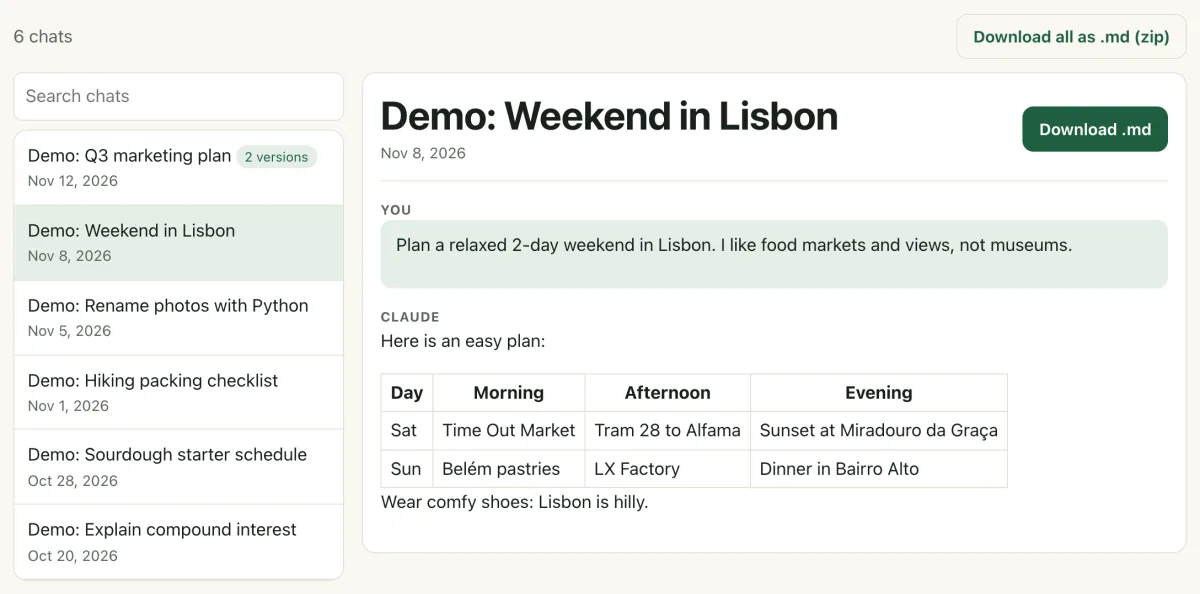
- Convert it. Drop the zip into the Claude Export Viewer and click Download all as .md (zip). It runs in your browser; nothing is uploaded.
- Unzip into your vault. Make a folder such as
Claudeinside your vault and unzip the files there. Obsidian picks them up right away. - Only want a few chats? Search for the chat in the viewer, open it and click Download .md instead.
What the file looks like
Each file starts with the chat's title, its dates, a link back to the chat on claude.ai, and how many versions it has. Then every message gets a heading, so they show in Obsidian's outline:
# Demo: Q3 marketing plan

- Created: 2026-11-12 · Updated: 2026-11-12
- Link: https://claude.ai/chat/…
- Versions: 2 (this file: version 2 of 2 (current))

---

### You · Nov 12, 10:20

Draft a Q3 marketing plan. Launch is in August.

### Claude · Nov 12, 10:21

Here's a Q3 plan built around the August launch…
Files Claude made (artifacts) are included inline as code blocks. If you edited a message in a chat, "Download all" saves the newest version; pick an older one from the chat's Version menu and download it separately.
Tips for a tidy vault
- Keep Claude chats in their own folder so they don't mix with your own writing.
- Rename files as you like; the link back to claude.ai inside each file stays.
- Re-export every month or so. A .md file is a snapshot and doesn't update when you keep chatting.
The faster way: Backtrack
Backtrack is a Chrome extension with a green Backtrack button next to Claude's Share button. In its This chat tab, the .md card saves the open chat to your Downloads in one click. That's free, with no limit.
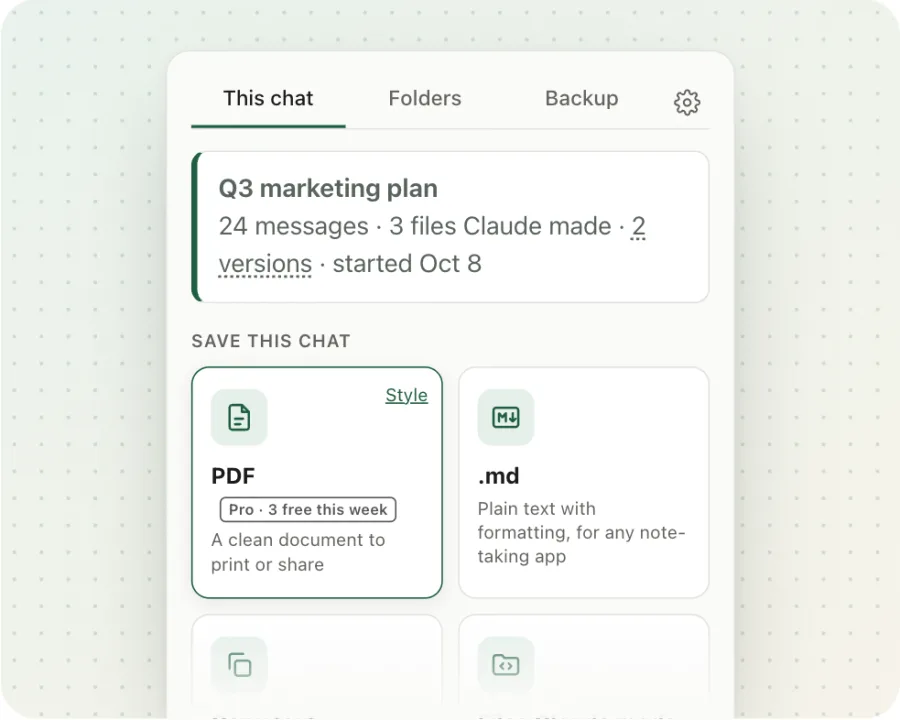
For a setup made for Obsidian, Backtrack Pro ($4.99 once) has an Obsidian-style .md setting (gear icon). It adds Obsidian properties at the top of each file and saves the files Claude made as separate files in a <chat title> assets folder, linked with [[wikilinks]]:
---
title: "Q3 marketing plan"
created: "2026-11-12T10:00:00Z"
updated: "2026-11-12T10:21:00Z"
source: "https://claude.ai/chat/…"
tags: [claude]
versions: 2
backtrack: true
---
Full backups from the Backup tab use this Obsidian-ready layout too, with a folder per project and every version of every chat. Your first full backup is free, so you can fill your vault once without paying. Pro adds backups any time and a daily auto-backup. See how to back up all your Claude chats.
Send any Claude chat to Obsidian in one click. Saving as .md is free.
Add to Chrome, freeFAQ
Do I need an Obsidian plugin to import Claude chats?
No. Obsidian opens plain .md files, so you just put the files in a folder inside your vault.
Will the file update when I keep chatting?
No. A saved .md file is a snapshot of the chat at that moment. Save it again after you continue the chat. Backtrack Pro's daily auto-backup saves new and changed chats for you.
What is Obsidian-style .md in Backtrack?
A Pro setting that adds properties (title, dates, a link back to the chat, project, a claude tag and the number of versions) at the top of each file, and saves the files Claude made as separate files linked with [[wikilinks]].
Can I keep old versions of edited chats?
Yes. In the free Claude Export Viewer, pick a version and download it. In Backtrack, Save this version is free, and a full backup includes every version of every chat. More in how to find old versions.
Related guides
Backtrack is an independent tool. It is not affiliated with, endorsed by, or sponsored by Anthropic or Obsidian. Claude is a trademark of Anthropic. The export steps are from Anthropic's help center as of November 2026.